Demo Mode Explained
Last updated: January 2026
What is Demo Mode?
Demo Mode lets you explore Ralivi with pre-populated sample data before connecting your real email account. It's perfect for:
- Testing features without committing
- Learning how Ralivi works
- Showing Ralivi to your team
- Evaluating if Ralivi fits your workflow
What's Included in Demo Mode?
Sample Contacts
15-20 realistic contacts with names, companies, and email addresses
Sample Deals
10-15 deals across different pipeline stages with realistic values
Sample Emails
Email threads showing typical sales conversations
Smart Suggestions
Sample action items showing how Ralivi prioritizes your work
How to Identify Demo Mode
When you're in demo mode, you'll see clear indicators:
Purple Banner
A purple banner appears in the sidebar saying "Demo Mode - You're exploring with sample data"
Demo Data Labels
Sample contacts and deals have "(Demo)" in their names
Limited Actions
Some features like email sending are disabled in demo mode
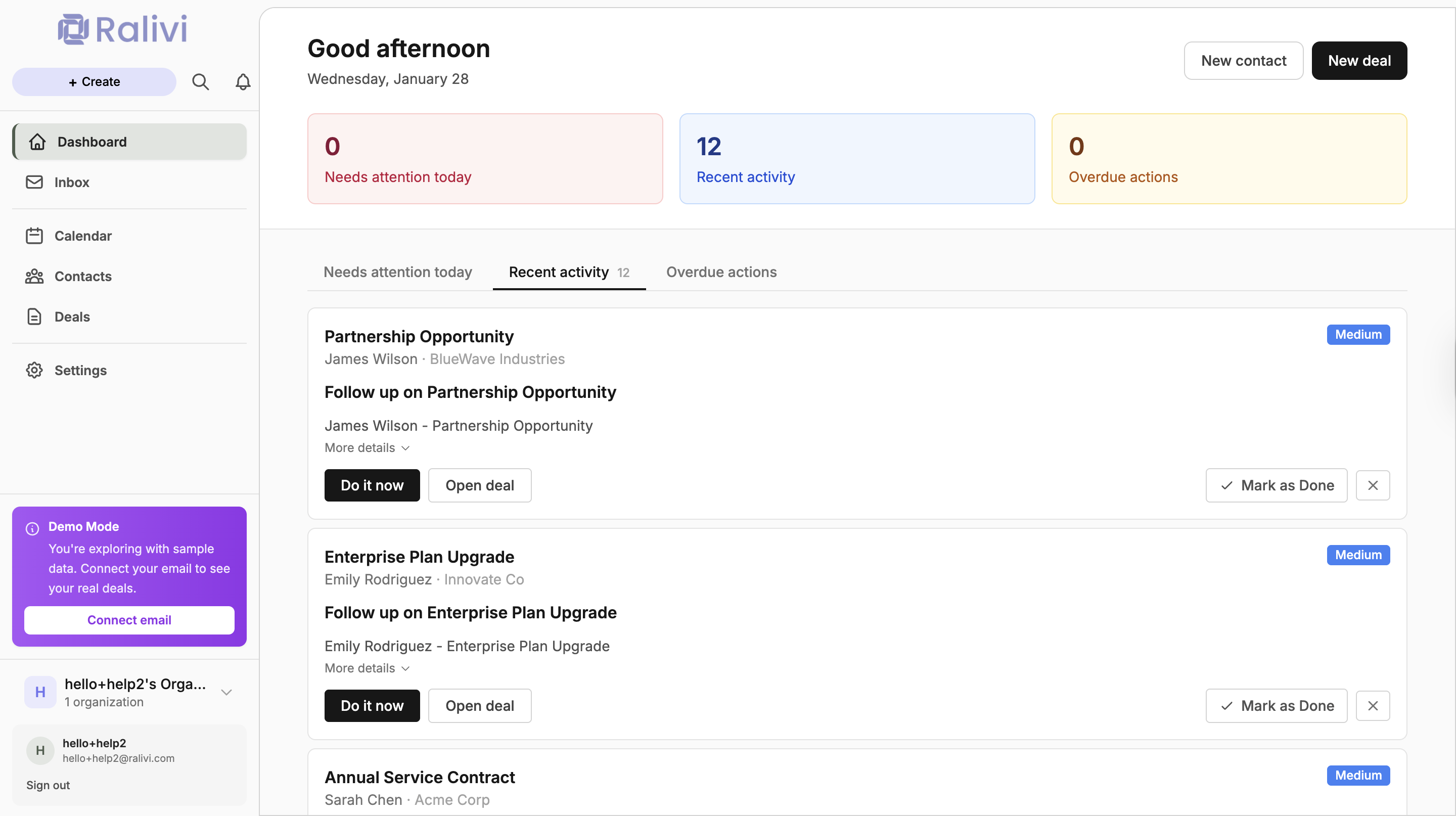
What You Can Do in Demo Mode
What You Cannot Do in Demo Mode
How to Exit Demo Mode
Ready to use Ralivi with your real data? Here's how to exit demo mode:
- Click the "Connect Email" button in the purple demo mode banner
- Or go to Settings → Email Integration
- Connect your Gmail or Outlook account
- Ralivi will automatically exit demo mode and start syncing your real emails
What Happens to Demo Data?
When you exit demo mode, all sample data is automatically deleted. Your real data from your connected email will replace it.
Can I Return to Demo Mode?
Once you exit demo mode and connect your real email, you cannot return to demo mode with the same organization. However, you can:
- Create a new organization to try demo mode again
- Use a different email address to sign up for a new demo account
- Contact support if you need to reset your account
Ready to Connect Your Email?
Exit demo mode and start using Ralivi with your real data. It only takes 2 minutes to connect your email.
Connect Email Account →