The Decisive Guide to the Best CRM for Small Business in 2026
Stop guessing. Get the definitive list of the best CRM for small business. We analyse the top 12 platforms to help you win more deals and grow faster.

Your business runs on relationships. Managing them is not an option; it is the foundation of your revenue. The right CRM moves you from reactive follow-ups to a proactive sales engine. It organizes contacts, tracks deals, and automates communication. Without it, you lose opportunities in spreadsheets and forgotten emails. This is about control.
Finding the best CRM for your small business means selecting a tool that fits your workflow. Do not force your team to adapt to a bloated platform. Many systems are built for enterprise operations. They burden small teams with features they will never use and costs they cannot justify. A streamlined CRM provides clarity, not more administrative work.
This guide is a direct analysis of the top CRM platforms. We cut through the noise to provide a clear, actionable comparison. If you need the fundamentals, our guide on Customer Relationship Management basics covers them.
Here, you will find a breakdown of each platform. We analyze their use cases, present pros and cons, and include direct links. We cover dedicated software and research platforms. This resource is built to help you make an informed choice quickly.
1. Ralivi
Ralivi is the best CRM for a small business because it eliminates the work. It watches your inbox and calendar to automate your sales pipeline. This removes manual data entry. You focus on closing deals, not managing software. This platform is built for action.
Its function is intelligent automation. Ralivi detects when a conversation goes cold. It generates a prioritized daily action list and sends real-time notifications. You always know exactly who to follow up with next. The system surfaces opportunities automatically. Nothing is missed.
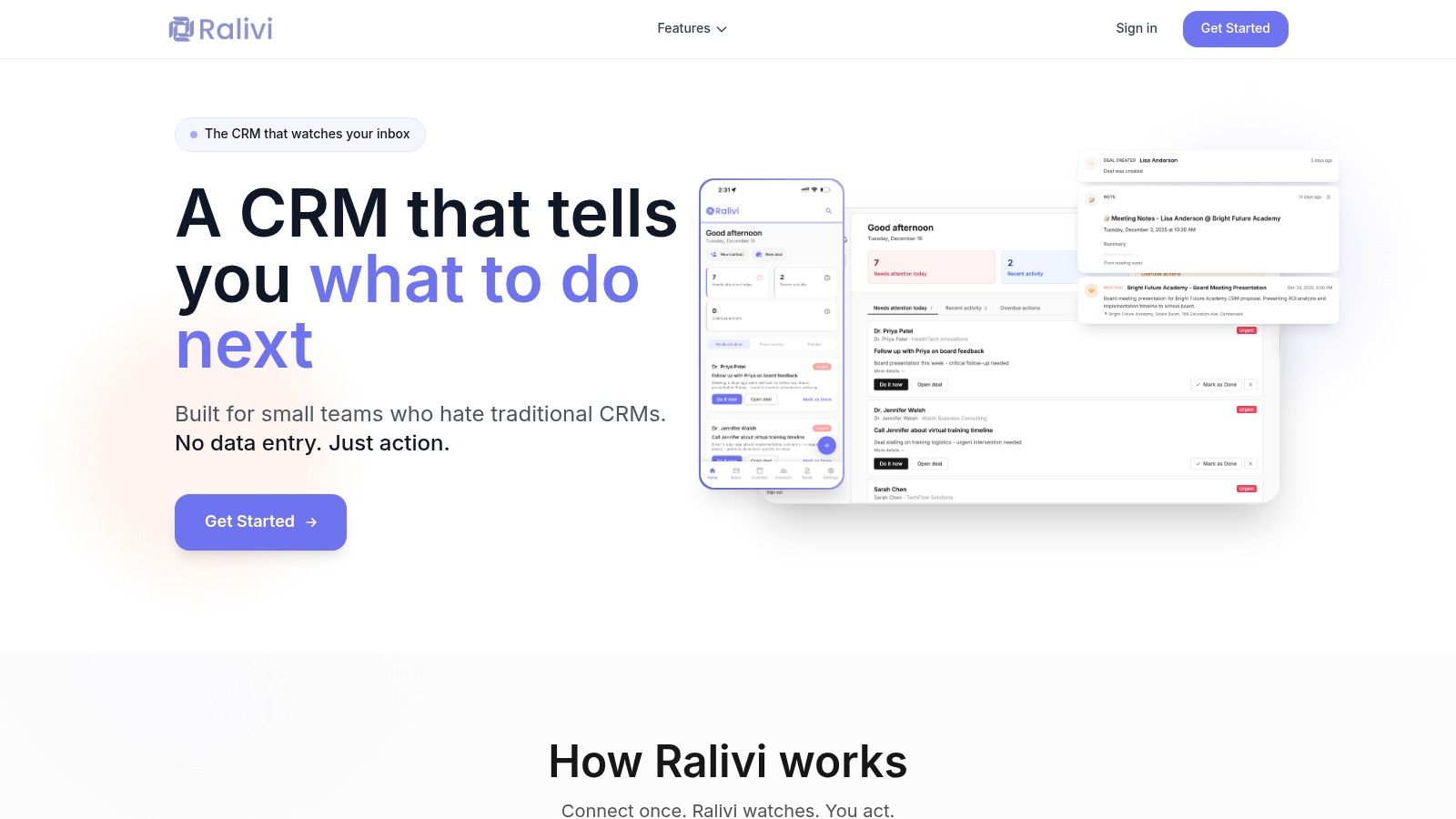
Why It’s the Top Choice
Traditional CRMs fail because they create administrative burdens. Ralivi succeeds by removing them. Its design is for founders and small sales teams who live in their inbox. They need a system that works for them, not against them. The one-click setup connects to Gmail or Outlook instantly, building your pipeline from existing conversations.
The platform's strength is its focus on outcomes. It does not just store data; it tells you what to do with it. AI-powered task suggestions and conversation summaries provide context without manual review. Explore how Ralivi's email-based CRM works. This is how you run an effective sales operation.
Key Details & Pricing
Onboarding is fast. The pricing is transparent. Ralivi avoids per-user fees that penalize growth, offering flat-rate plans for teams.
- Starter: $49/month for 1 user. Includes core email and calendar monitoring.
- Professional: $99/month for up to 5 users. Adds real-time notifications and full integrations.
- Business: $199/month for up to 15 users. Unlocks API access and team permissions.
An optional Phone/SMS logging add-on is available for $20/month. The model provides cost predictability as your team expands.
| Pros | Cons |
|---|---|
| Zero manual entry: Pipeline updates automatically from email and calendar. | Requires mailbox access: Security-conscious teams must evaluate privacy. |
| Prioritised action list: AI tells you who to follow up with and when. | Small team focus: Not built for enterprises needing complex customization. |
| Predictable pricing: Flat team rates make costs clear and scalable. | Limited ecosystem: Integrates with essential tools but lacks a vast app marketplace. |
| Fast setup: One-click connection gets you running in minutes. |
Visit Ralivi to connect your inbox and start automating your pipeline.
2. Salesforce Sales Cloud
Salesforce is not just for enterprises. The Sales Cloud Starter Suite is for small businesses with growth ambitions. It provides the core sales, service, and marketing tools you need to build a foundation that scales. You get a powerful platform without the enterprise complexity.
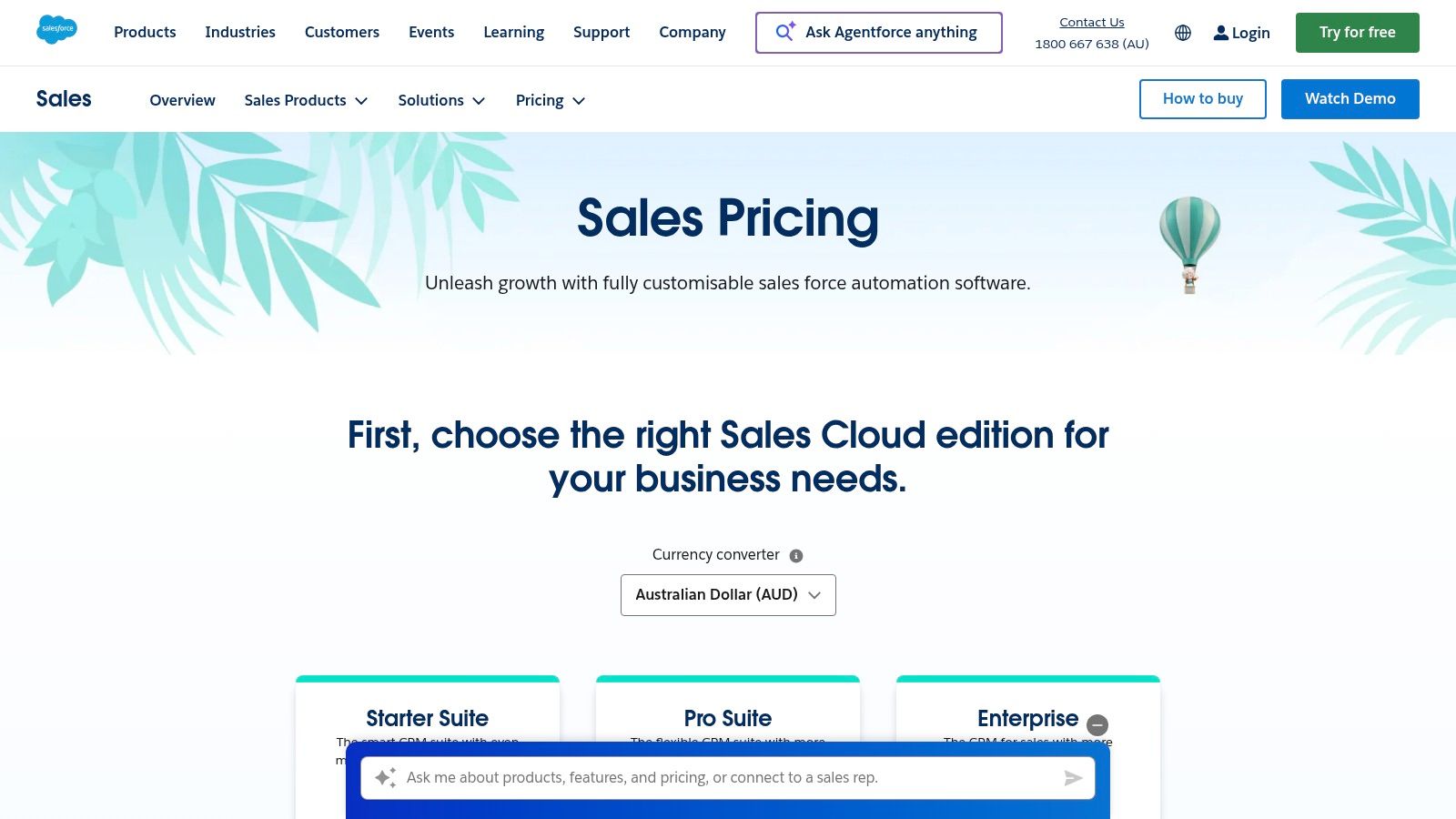
This CRM is the best choice for small business teams planning to expand. Its strength lies in scalability and customization. As you grow, you move to higher tiers without a painful migration. The AppExchange ecosystem means you can integrate almost any tool you need.
Key Details & Pricing
Salesforce offers localized pricing for the Australian market. This removes currency conversion guesswork. Many advanced features and AI tools are add-ons or require higher-tier plans.
- Best For: Ambitious small businesses that need a platform to grow with.
- Pricing (AU): Starts at A$39 per user/month for the Starter Suite.
- Key Feature: Unmatched scalability and integration potential via the AppExchange.
Our Assessment
Pros:
- A clear growth path from Starter to Enterprise tiers.
- Deep customization options to fit unique business processes.
- Robust analytics and forecasting on higher plans.
Cons:
- The platform can become complex, requiring dedicated admin resources.
- Essential features and AI tools often come at an additional cost.
Visit Salesforce Sales Cloud AU
3. HubSpot Customer Platform
HubSpot delivers a unified CRM platform that is easy to adopt. It combines marketing, sales, and service into a single system. Its free tier lets you start immediately. For small teams that value speed and usability, HubSpot removes the barriers to getting organized.
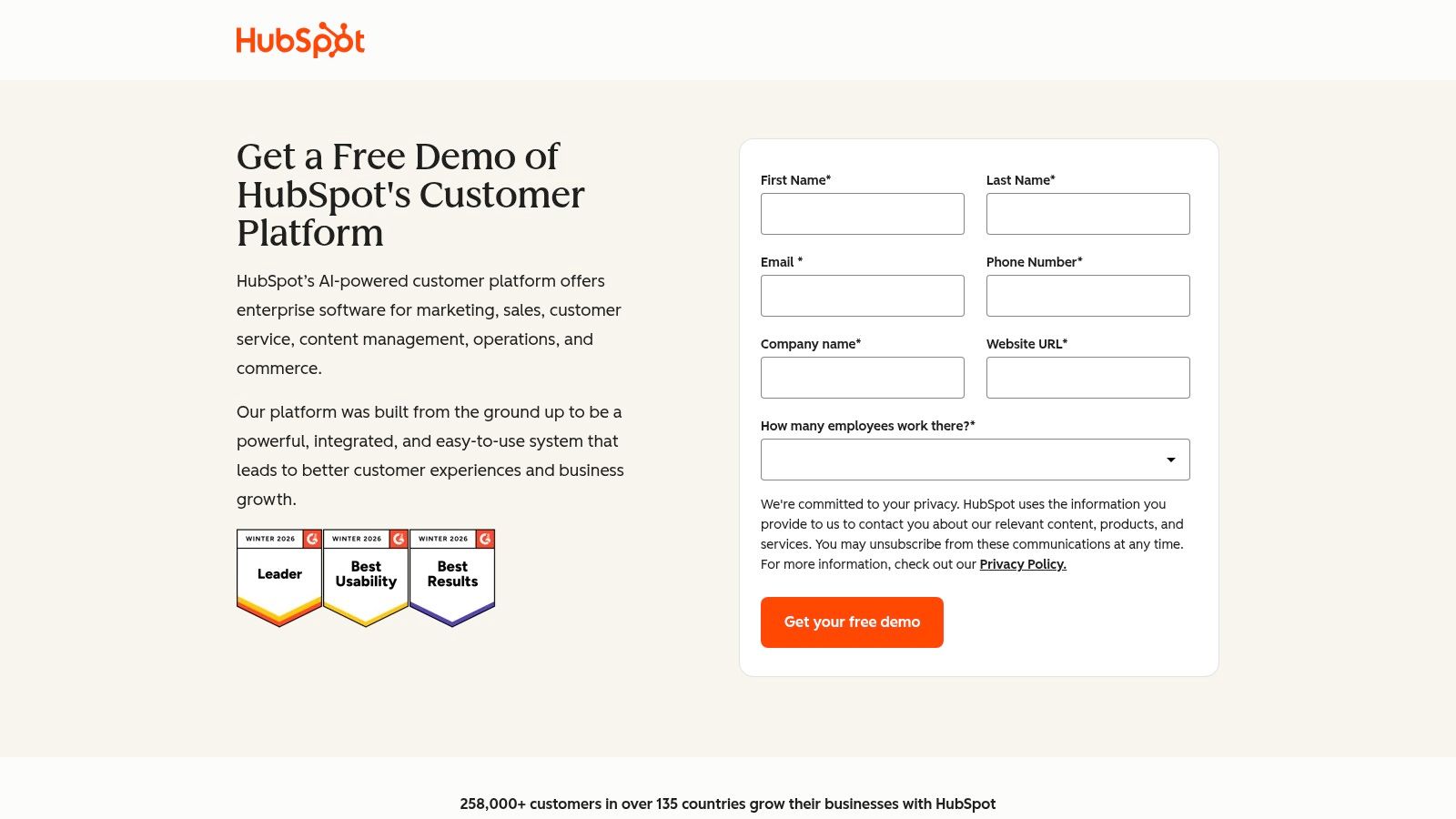
This platform is the best CRM for small business teams prioritizing a quick start. Its strength is its all-in-one nature and excellent free tools. You can manage contacts, track deals, and engage leads without an initial investment. Paid tiers provide a logical and affordable upgrade path.
Key Details & Pricing
HubSpot’s pricing is built around its different "Hubs" and seat types. The free tools are powerful. Costs can increase as you add more paid seats or move to higher tiers for advanced automation.
- Best For: Teams that need a user-friendly, all-in-one platform with a strong free offering.
- Pricing: Starts with extensive free tools. Paid Starter CRM Suite from US$20 per seat/month.
- Key Feature: An excellent user experience combined with a powerful free CRM.
Our Assessment
Pros:
- Quick to deploy with an outstanding user interface for small teams.
- Broad free tier allows you to prove its value before committing.
- Strong automation and reporting at Professional and Enterprise tiers.
Cons:
- Pricing can become complex as your needs grow.
- Significant onboarding fees are required for Professional and Enterprise plans.
4. Zoho CRM
Zoho CRM delivers a powerful, feature-rich platform without the enterprise price. It is designed for small businesses that need a comprehensive solution covering sales, marketing, and support. The free edition is a genuine starting point, not just a limited trial.
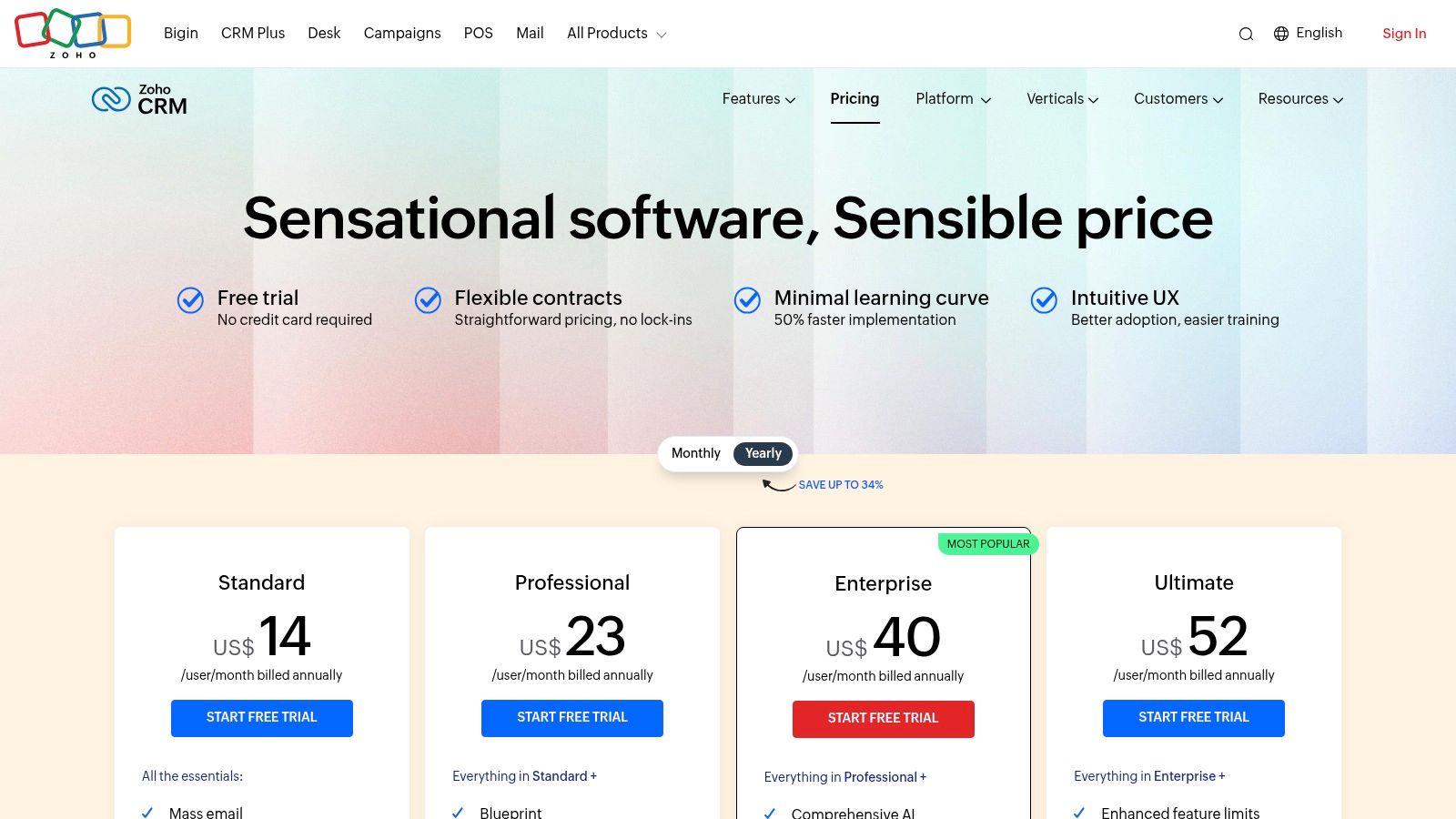
This platform is the best choice for small business teams seeking exceptional value. Zoho’s strength is its extensive ecosystem. You can integrate other Zoho apps like Books or Desk seamlessly. This flexibility allows you to build a system that matches your exact business processes.
Key Details & Pricing
Zoho provides clear, localized pricing in Australian dollars. This simplifies budget planning. The free plan supports up to three users, offering a risk-free entry. Advanced capabilities like the AI assistant are reserved for paid tiers.
- Best For: Budget-conscious small businesses needing an all-in-one, customizable platform.
- Pricing (AU): Free plan available. Paid plans start from A$22 per user/month.
- Key Feature: An unbeatable combination of affordability, a generous free tier, and a broad app ecosystem.
Our Assessment
Pros:
- Excellent value with a highly capable free plan for up to three users.
- Deep customization options to tailor workflows and modules.
- Smooth upgrade path to broader bundles like CRM Plus.
Cons:
- The user interface can feel busy until it is customized.
- Advanced AI and reporting features are limited to higher-tier plans.
5. Pipedrive
Pipedrive is a CRM built for salespeople. It strips away complexity and focuses on a visual sales pipeline. This makes it intuitive for teams who manage deals. Its design is engineered to drive action and keep your focus on closing.
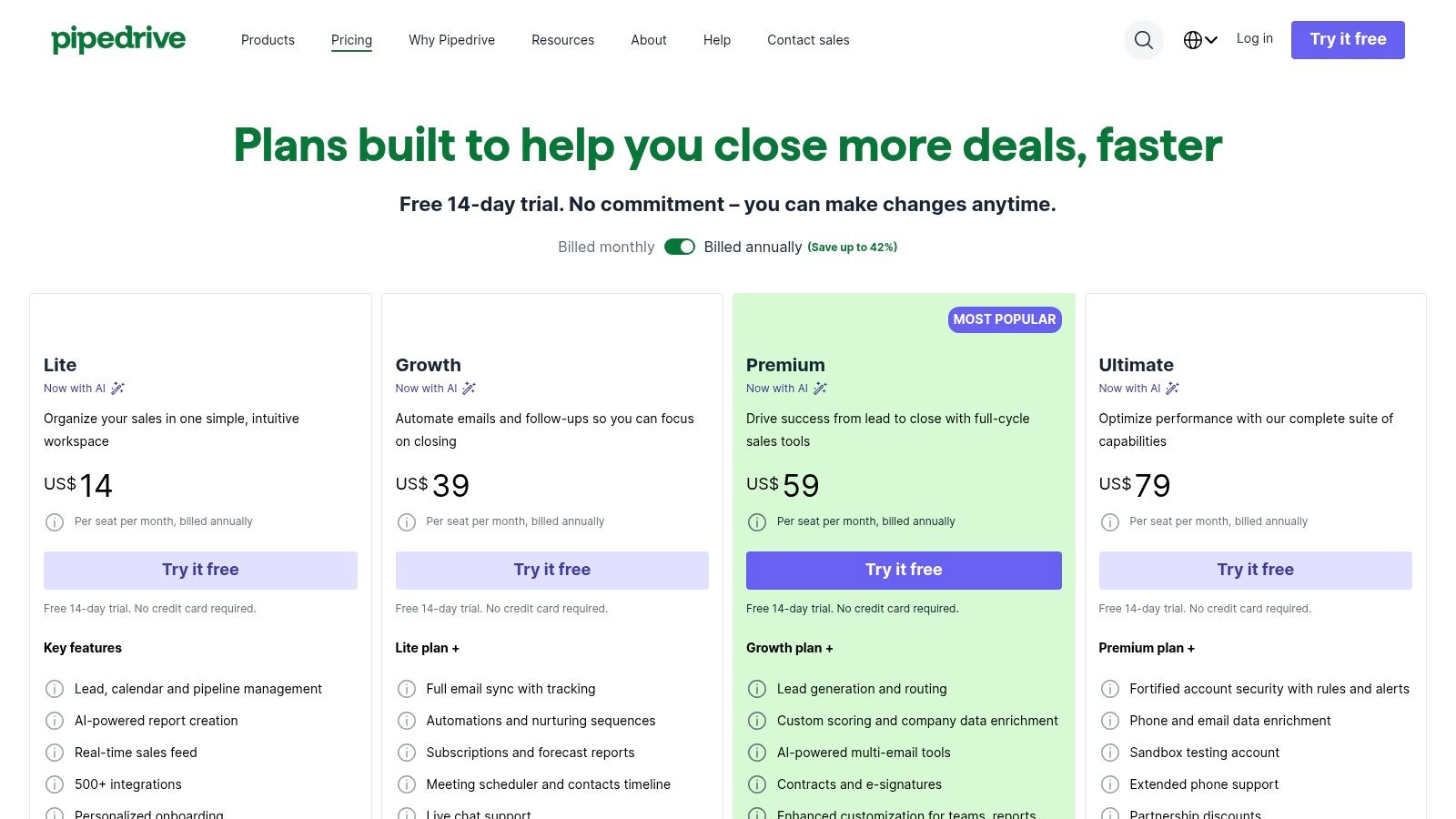
This is the best CRM for small business teams that prioritize a transparent sales process. The pipeline view gives you an immediate, clear overview of your sales funnel. You drag and drop deals between stages. The system’s strength is its simplicity and visual nature.
Key Details & Pricing
Pipedrive provides clear, per-user pricing. Small businesses can start without a huge investment. Many of its lead generation tools are paid add-ons. This requires careful budget planning. A 14-day free trial is available.
- Best For: Sales-focused teams who need an easy-to-use, visual pipeline management tool.
- Pricing (AU): Starts at A$24 per user/month for the Essential plan.
- Key Feature: The intuitive, drag-and-drop visual sales pipeline that simplifies deal tracking.
Our Assessment
Pros:
- Extremely easy to set up and use, requiring minimal training.
- Transparent, per-seat pricing makes it simple to budget for.
- Strong mobile applications for managing deals on the go.
Cons:
- Key marketing and lead-generation features are often priced as separate add-ons.
- Advanced security controls are reserved for the highest-tier plans.
6. monday sales CRM
monday.com is known for project management. Its sales CRM is a serious contender. It leverages the platform's visual OS to combine sales pipelines with operational workflows. It is a unified workspace for teams that manage projects and clients in one place.
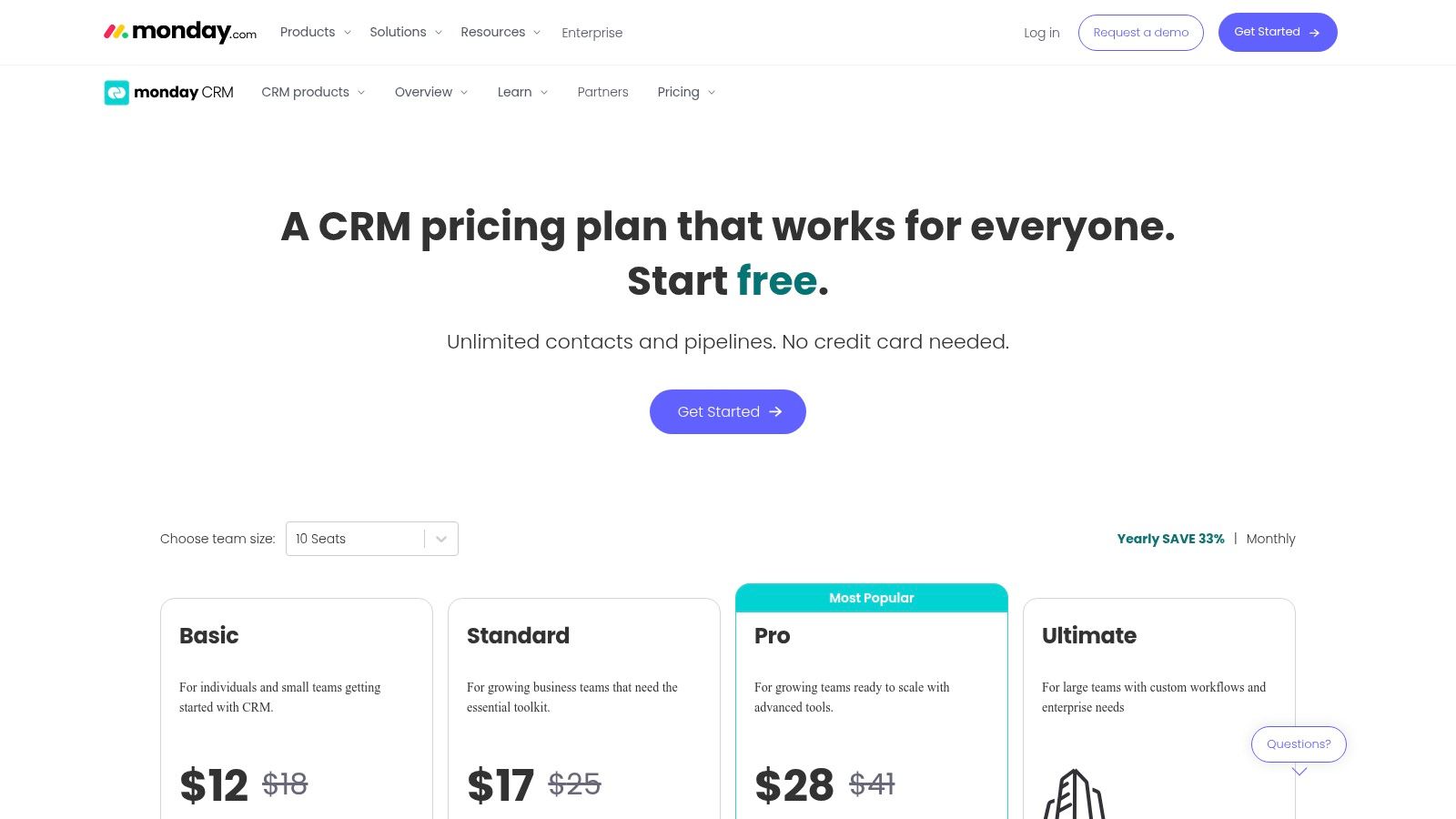
This platform is the best choice for small business agencies and teams that refuse to be siloed. Its core strength is flexibility. You can build custom boards and automate handoffs between sales and project delivery. It manages everything from lead capture to final invoicing without switching platforms.
Key Details & Pricing
monday sales CRM offers plans based on seat bundles, starting with a minimum of three. This can be costly for solo operators but provides value for growing teams. Key features like email sync are reserved for higher-tier plans. A 14-day free trial is available.
- Best For: Small teams and agencies wanting a combined CRM and project management tool.
- Pricing: Starts at A$45 per month for 3 seats (A$15 per seat/month), billed annually.
- Key Feature: Unmatched workflow customization that merges sales and operations.
Our Assessment
Pros:
- Flexible workflows that extend beyond sales into project management.
- Attractive, intuitive user interface that is quick to set up.
- Generous automation and integration quotas on the Pro plan.
Cons:
- No permanently free CRM plan, only a limited trial period.
- Pricing is sold in seat bundles, forcing you to pay for unused seats.
7. Freshsales by Freshworks
Freshsales is for teams that want to consolidate their tools. It integrates phone, chat, and email directly into the CRM. This eliminates the need for separate subscriptions and complex integrations. The platform provides core sales functions without unnecessary complexity.
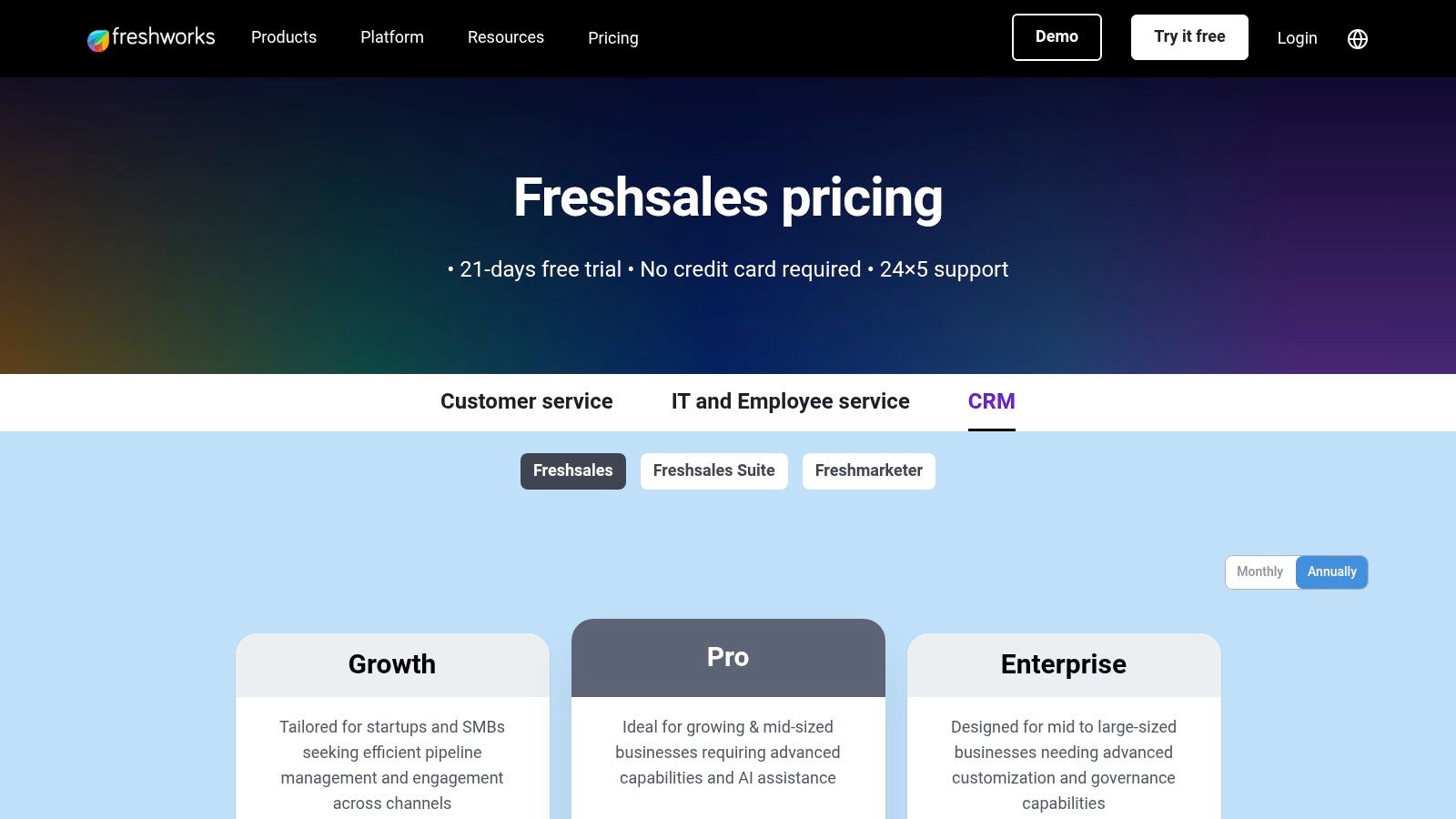
This platform is the best CRM for small business teams focused on direct communication. Its strength is native multichannel capability. You can call, email, and chat with leads from one screen. This streamlines outreach and follow-up. The interface is clean and the pricing is straightforward.
Key Details & Pricing
Freshsales offers transparent pricing, including a powerful free tier. It is accessible for startups and SMBs. AI-powered lead scoring and sales insights are reserved for the Pro and Enterprise tiers. Factor that into your decision if forecasting is critical.
- Best For: Small businesses that need built-in communication tools.
- Pricing (AU): Starts free for up to 3 users. Paid plans from A$25 per user/month.
- Key Feature: Native phone, email, and chat to centralize communications.
Our Assessment
Pros:
- Excellent price-to-value ratio for small to medium businesses.
- Integrated communication tools reduce extra costs.
- Simple, organized user interface that requires minimal training.
Cons:
- Advanced AI and automation features are gated behind higher-tier plans.
- The integration ecosystem is smaller compared to HubSpot or Salesforce.
8. Tall Emu CRM
Tall Emu is the Australian-built CRM for businesses that manage products and jobs. It moves beyond standard sales pipelines. It integrates inventory management, quoting, and invoicing directly into the CRM. It is designed for SMBs needing deep integration with local accounting software like Xero and MYOB.
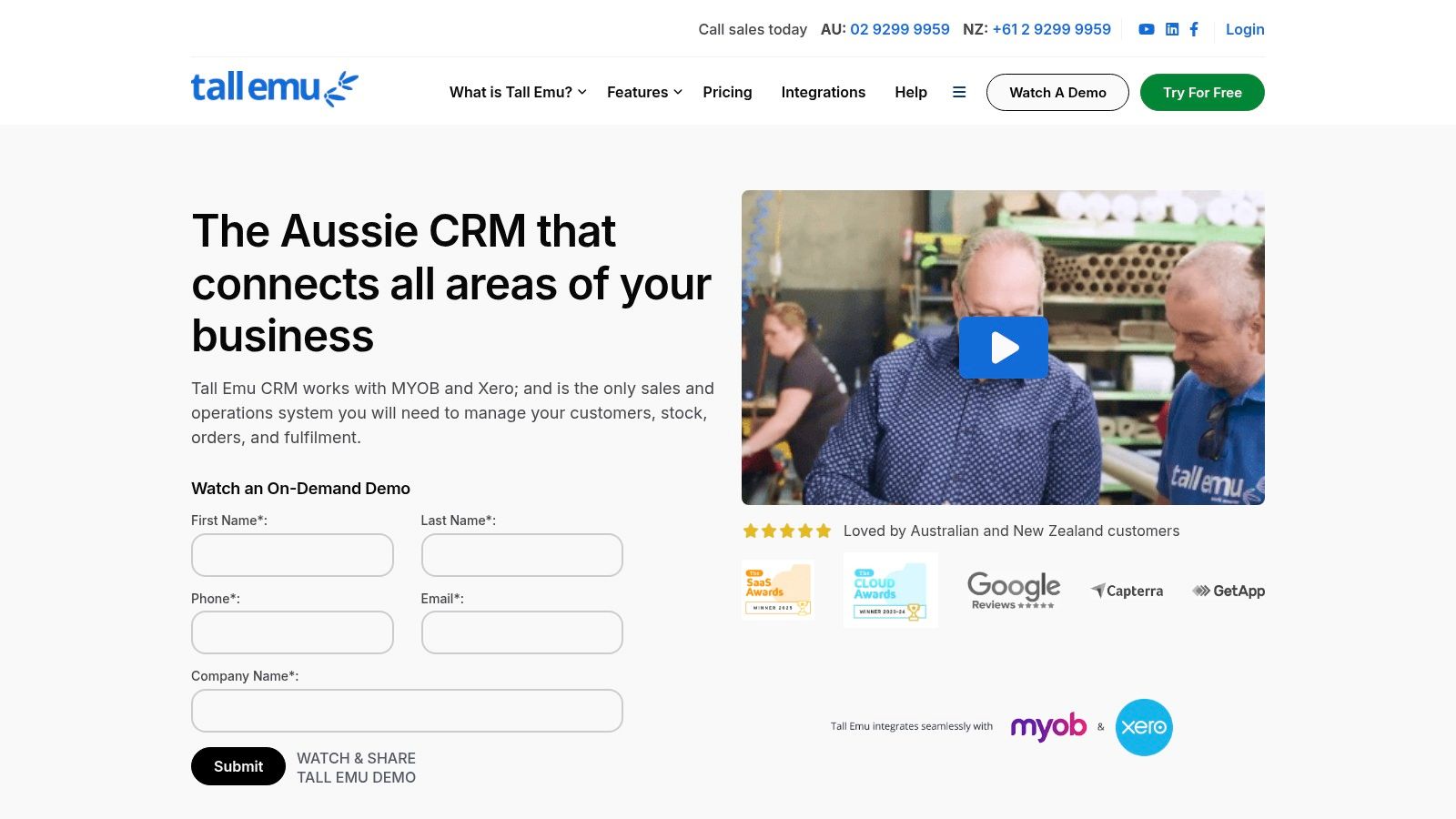
This platform is the best CRM for small business operators in Australia who prioritize local support. Its core strength is connecting sales activities with operational realities. You can create a quote, check stock, and issue an invoice that syncs with your accounting platform. It simplifies workflows for businesses that sell tangible goods.
Key Details & Pricing
Tall Emu offers straightforward pricing with all features included. This avoids the tiered complexity of other platforms. A one-time onboarding fee is required, reflecting its focus on a guided setup. This ensures users maximize the platform's potential.
- Best For: Australian product and job-based SMBs needing integrated inventory and local accounting sync.
- Pricing (AU): Contact Tall Emu for a customised quote based on user numbers.
- Key Feature: Native integration with Xero and MYOB, combined with inventory management.
Our Assessment
Pros:
- AU-centric pricing, data hosting, and GST context for local businesses.
- All features are included in the subscription, eliminating complex add-ons.
- Clear, guided onboarding and local support options.
Cons:
- A one-time onboarding fee applies to all new accounts.
- The app ecosystem is smaller compared to global CRM leaders.
9. Capsule CRM
Capsule CRM cuts through the noise. It is a lightweight, intuitive platform focused on what matters. It manages contacts, tracks deals, and organizes projects. This tool is for small teams and first-time CRM users who need simplicity without overwhelming features.
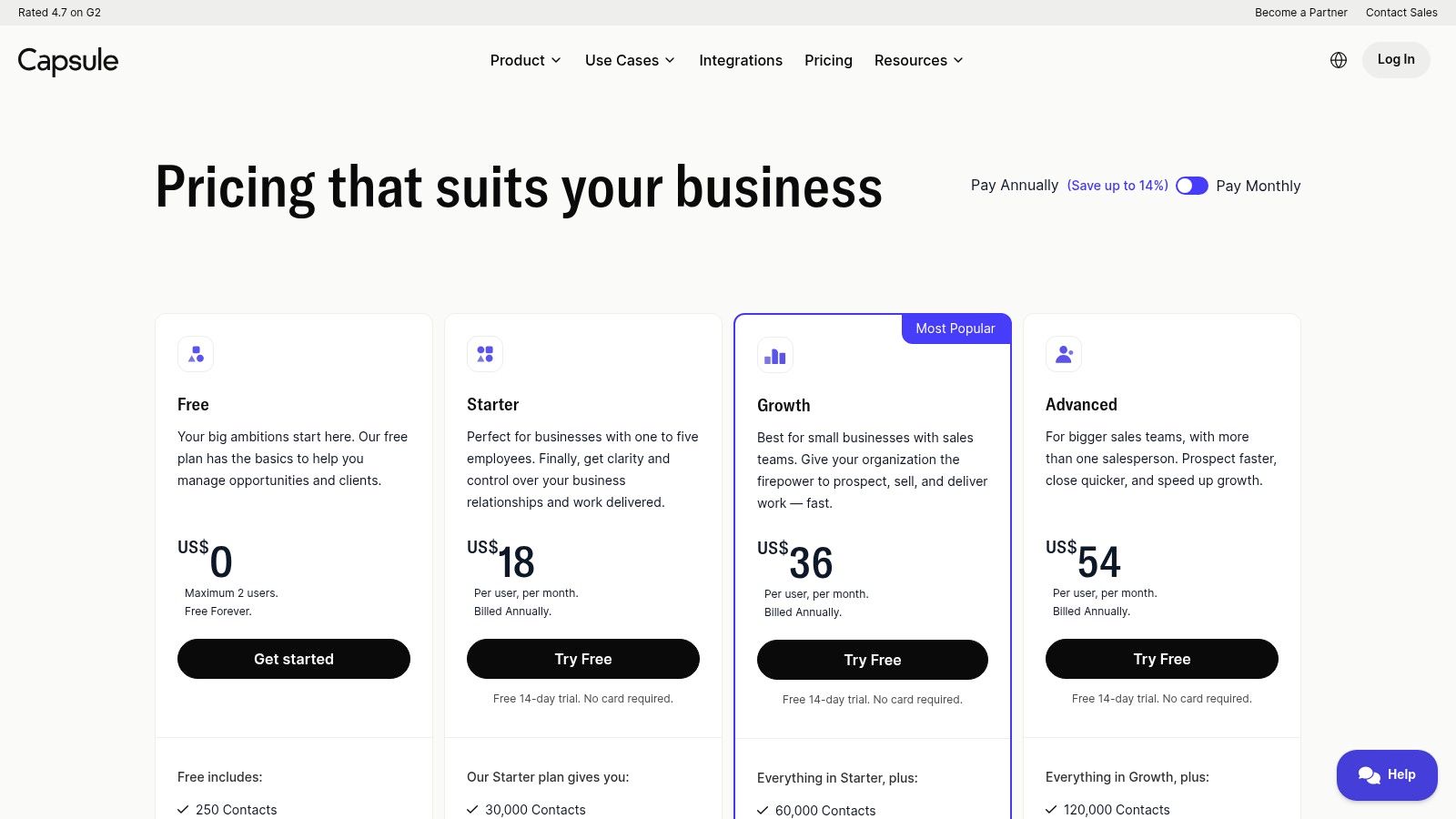
This platform is the best CRM for small business owners seeking an approachable entry into customer management. Its strength is its simplicity. You get multiple sales pipelines, project boards, and seamless integrations with tools like Gmail and Xero. The free plan for up to two users makes it a zero-risk option.
Key Details & Pricing
Capsule offers transparent pricing, including a functional free tier. Paid plans add more advanced features and increased contact limits. The focus remains on providing core CRM capabilities effectively.
- Best For: First-time CRM users and very small teams needing a simple contact and deal manager.
- Pricing: Free plan for up to 2 users. Paid plans start at US$18 per user/month.
- Key Feature: An extremely approachable user interface that new users can adopt quickly.
Our Assessment
Pros:
- Very intuitive UI, ideal for teams new to CRM software.
- A clear and reasonable upgrade path from the free plan.
- Strong AU-friendly integrations, particularly with Xero.
Cons:
- Marketing automation and reporting capabilities are basic.
- Phone and live chat support are limited on lower-tier plans.
10. Capterra Australia — CRM category
Before you commit, you do your homework. Capterra Australia is where you start. It is an essential directory for comparing systems with a focus on the local market. It provides verified user reviews, feature comparisons, and pricing snapshots. Use it to build a qualified shortlist.
This directory is the best tool for small business owners who need to evaluate the market efficiently. Use its filters to narrow down options by industry, business size, and specific features. The volume of genuine user feedback provides insights you will not find on a vendor’s marketing site.
Key Details & Pricing
Capterra is a free research tool. Be aware that vendor listings can be sponsored, which may influence their placement. Always cross-reference the pricing and feature information directly with the CRM provider.
- Best For: Diligent business owners conducting initial research and comparison.
- Pricing (AU): Free to use for research and comparison.
- Key Feature: Extensive library of verified user reviews and AU-specific market focus.
Our Assessment
Pros:
- Large volume of verified reviews to inform your decision.
- Useful for shortlisting options supported in the Australian market.
- Advanced filters help you quickly find relevant software.
Cons:
- Listings can be sponsored and their ordering may be commercially influenced.
- Pricing and feature information may lag behind vendor changes.
Visit Capterra Australia CRM Category
11. G2 — Small‑Business CRM category
G2 is not a CRM. It is a peer review platform where you find the best CRM for your small business based on real user feedback. Its dedicated Small-Business CRM category provides unfiltered reviews and side-by-side product comparisons. This is your reconnaissance tool for vetting vendors.
The platform’s value lies in its depth of verified user reviews and organized data. Use its satisfaction grids to see how vendors stack up on market presence versus user satisfaction. You can filter reviews by company size to see opinions from businesses like yours.
Key Details & Pricing
G2 is a free resource for buyers. The platform aggregates vendor-provided pricing, which serves as a starting point but should always be verified directly. Pay attention to the pros and cons in reviews to quickly identify recurring strengths and weaknesses.
- Best For: In-depth research and comparing shortlisted CRMs.
- Pricing (AU): Free to use for research and comparisons.
- Key Feature: Verified peer reviews with filters for business size and industry.
Our Assessment
Pros:
- Depth of reviews from actual small and medium business users.
- Easy comparison across multiple vendors on a single screen.
- Market presence and satisfaction grids offer a clear visual summary.
Cons:
- Some vendors promote heavily; read reviews critically.
- Pricing data is indicative and may not be current.
Visit G2's Small‑Business CRM Category
12. Google Workspace Marketplace — Sales & CRM category
For businesses built on Google Workspace, the answer is not always a standalone platform. The Workspace Marketplace offers a catalog of CRM apps that integrate directly into your existing workflow. This embeds CRM functions into Gmail and Calendar, centralizing your work where it already happens.
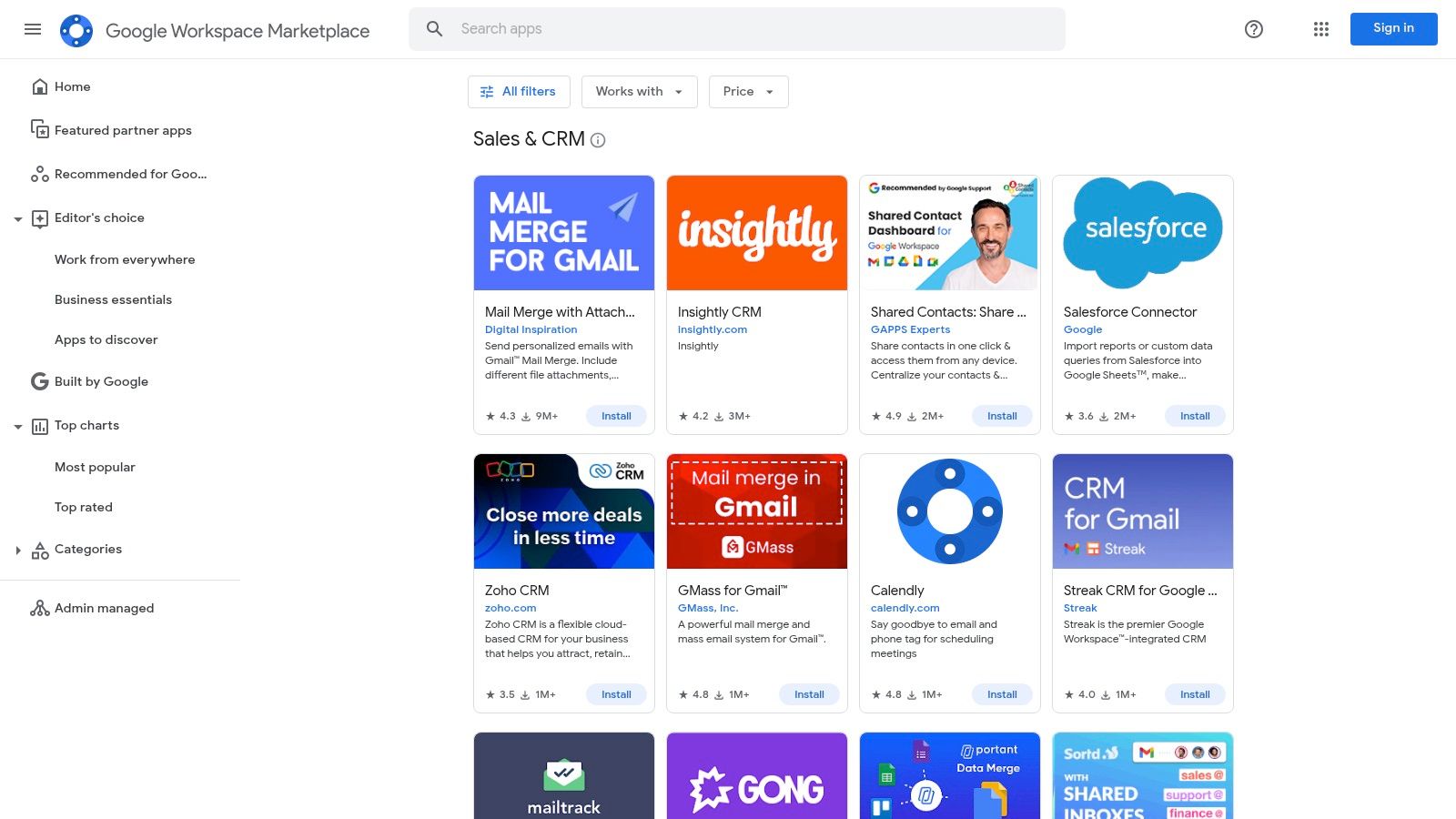
This marketplace is the best choice for small business teams who prioritize efficiency within their Google ecosystem. It allows you to find and install tools like Streak or Capsule with a single click. Admins can manage permissions and deployments for the entire organization.
Key Details & Pricing
The Marketplace is a free directory. Pricing is determined by the individual CRM app you choose. This model offers flexibility but requires you to research the pricing and features of each app. Always check the integration notes and user ratings.
- Best For: Teams deeply embedded in Google Workspace who need a CRM inside their email.
- Pricing (AU): Varies by app; many offer free tiers with paid plans from A$20-A$50 per user/month.
- Key Feature: Direct, native integrations with Gmail, Google Calendar, and other Workspace tools.
Our Assessment
Pros:
- Streamlines workflows by keeping users within the Google environment.
- Centralized app management for Workspace administrators.
- A wide selection of lightweight and powerful CRM options.
Cons:
- The scope and quality of features vary widely between individual apps.
- Not all major CRMs are available through the Marketplace.
Visit Google Workspace Marketplace
Top 12 Small-Business CRM Comparison
| Product | Core features ✨ | UX / Quality ★ | Value & Pricing 💰 | Best for 👥 |
|---|---|---|---|---|
| Ralivi 🏆 | ✨ Email & calendar‑driven pipeline; auto cold‑lead detection; AI task suggestions; mobile apps | ★★★★☆ real‑time alerts, one‑click OAuth | 💰 $49–$199/mo flat team plans; $20 SMS; $10/100GB | 👥 Small teams, founders, agencies |
| Salesforce Sales Cloud | ✨ Full‑stack CRM; deep customization; AppExchange | ★★★★★ powerful but complex | 💰 Seat‑based tiers (Starter→Enterprise); many add‑ons | 👥 Scaling teams, enterprises |
| HubSpot Customer Platform | ✨ Free CRM + Sales/Marketing/Service hubs; marketplace | ★★★★★ excellent UX, fast deploy | 💰 Free → paid Starter/Pro/Ent; seat & onboarding fees | 👥 SMBs testing CRM; marketing teams |
| Zoho CRM | ✨ Lead/deal workflows; Zia AI; 600+ integrations | ★★★★☆ feature‑rich, UI can feel busy | 💰 Free up to 3 users; affordable paid tiers | 👥 Budget‑conscious SMBs |
| Pipedrive | ✨ Kanban pipeline, email sync, AI writing/reporting | ★★★★☆ very easy to use | 💰 Transparent per‑seat pricing; add‑ons | 👥 Small sales teams prioritizing pipeline |
| monday sales CRM | ✨ Custom boards, automations, Work OS templates | ★★★★☆ visual & flexible | 💰 Seat bundles; no always‑free plan | 👥 Teams needing CRM + project workflows |
| Freshsales (Freshworks) | ✨ Native email/phone/chat + AI (Freddy) | ★★★★☆ strong multichannel UX | 💰 Free tier (≤3 users) → low‑cost paid plans | 👥 SMBs wanting built‑in communications |
| Tall Emu CRM | ✨ Quoting, inventory, Xero/MYOB; AU data hosting | ★★★☆☆ local support; guided onboarding | 💰 AU‑priced subscription; one‑time onboarding fee | 👥 Australian SMBs needing accounting ties |
| Capsule CRM | ✨ Contact & deal focus, simple projects, add‑ins | ★★★☆☆ approachable for beginners | 💰 Free up to 2 users; clear upgrade path | 👥 Very small teams / first‑time CRM users |
| Capterra Australia — CRM category | ✨ AU‑focused directory, reviews & filters | ★★★★☆ useful for shortlists | 💰 Free to use (vendor listings may be sponsored) | 👥 Buyers shortlisting AU CRM options |
| G2 — Small‑Business CRM category | ✨ Peer reviews, feature grids, comparisons | ★★★★☆ deep SMB review insights | 💰 Free to use; vendor promotions possible | 👥 SMB buyers seeking peer feedback |
| Google Workspace Marketplace — Sales & CRM | ✨ Catalog of Gmail/Calendar‑integrated CRMs | ★★★★☆ easy installs for Workspace admins | 💰 Free to browse; app pricing varies | 👥 Google Workspace teams seeking direct integrations |
Final Thoughts
The analysis is complete. You have the data. Choosing the best CRM for your small business is not about finding a flawless system. It is about selecting the right tool for the job.
Legacy platforms like Salesforce offer immense power, but that comes with complexity and cost. HubSpot provides a strong all-in-one ecosystem, but its potential is unlocked at higher price tiers. Pipedrive and monday sales CRM focus on a visual approach. Each has its place. Your decision hinges on a clear assessment of your actual needs.
Distilling Your Decision
Your focus must be surgical. Do not get distracted by features you will never use. The core function of a CRM is to help you build relationships and close more deals. Everything else is secondary.
Your evaluation should center on three points:
- Adoption Rate: A CRM your team refuses to use is worthless. If it is too complicated or creates more work, it will fail. Prioritize a clean interface and a minimal learning curve.
- Core Workflow Integration: Does the CRM fit how you already work? A system that lives outside your inbox creates friction. The best CRM should feel like a natural extension of your existing processes.
- Return on Investment (ROI): The calculation is simple. The CRM must generate more revenue than it costs. This means tracking deals efficiently and automating follow-ups.
The Path Forward
Your next move is not to read more reviews. It is to take action. Most of these platforms offer free trials or demos. Use them.
Set up a trial with your top two candidates. Import a sample of your contacts. Task your team with using the system for one week to manage real activities. Do not just click around the features. Use it under pressure. The superior tool will be obvious from its performance, not its marketing.
Choosing the best CRM is a strategic move that dictates your capacity for growth. It centralizes your most valuable asset: your client relationships. Own this decision. Analyze the options, test the frontrunners, and implement the system that gives your business the clearest advantage. The right tool will not just organize your contacts; it will accelerate your revenue. Make your choice.
Stop managing deals with spreadsheets and scattered notes. Start closing them. Ralivi is the CRM built for small businesses that operate from their inbox. See how it streamlines your pipeline directly within Google Workspace by visiting Ralivi.